MediaCatalog
A free image cataloging app for macOS
Download 1.7.13 October 2026macOS 14 or later · Apple Silicon
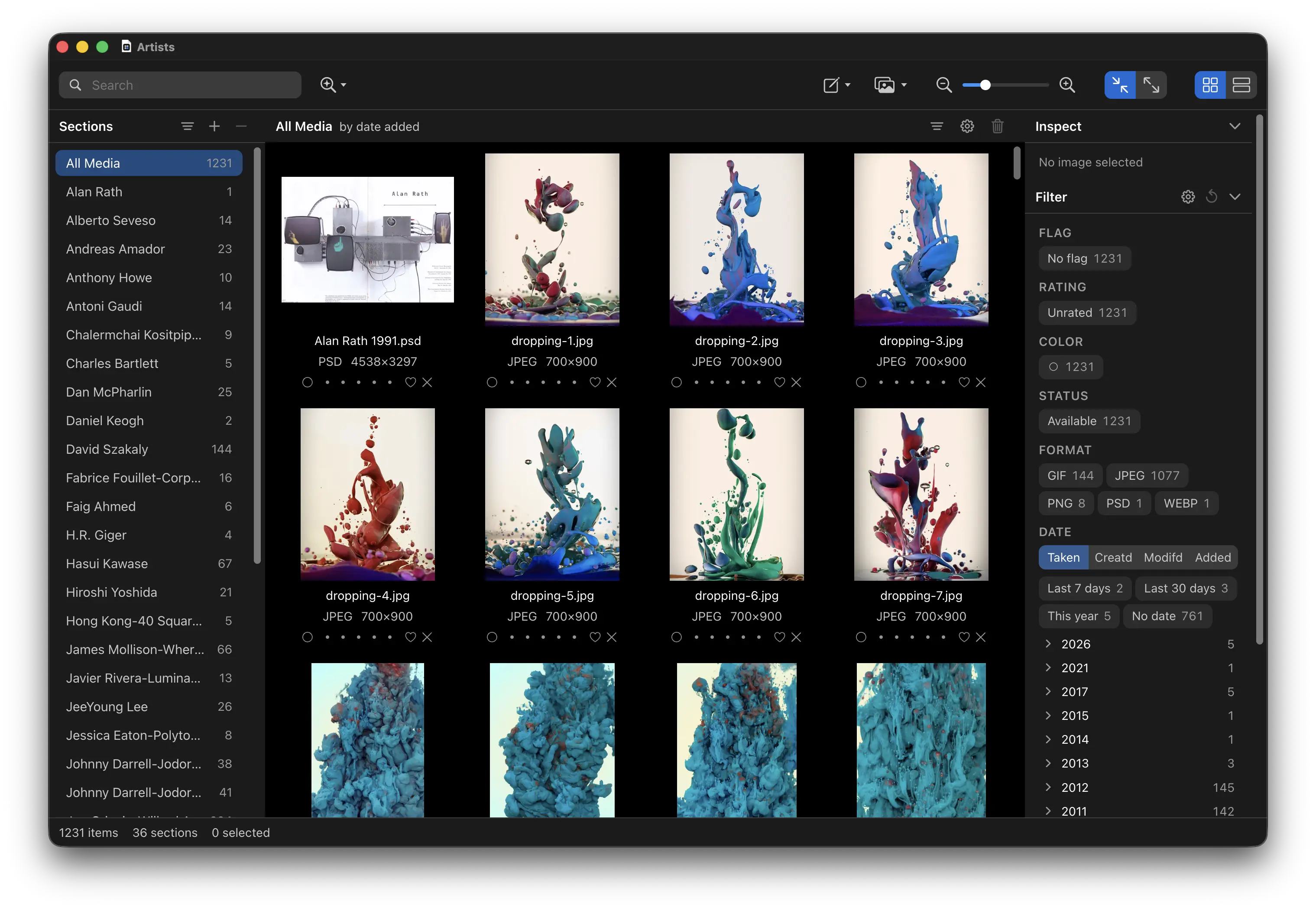
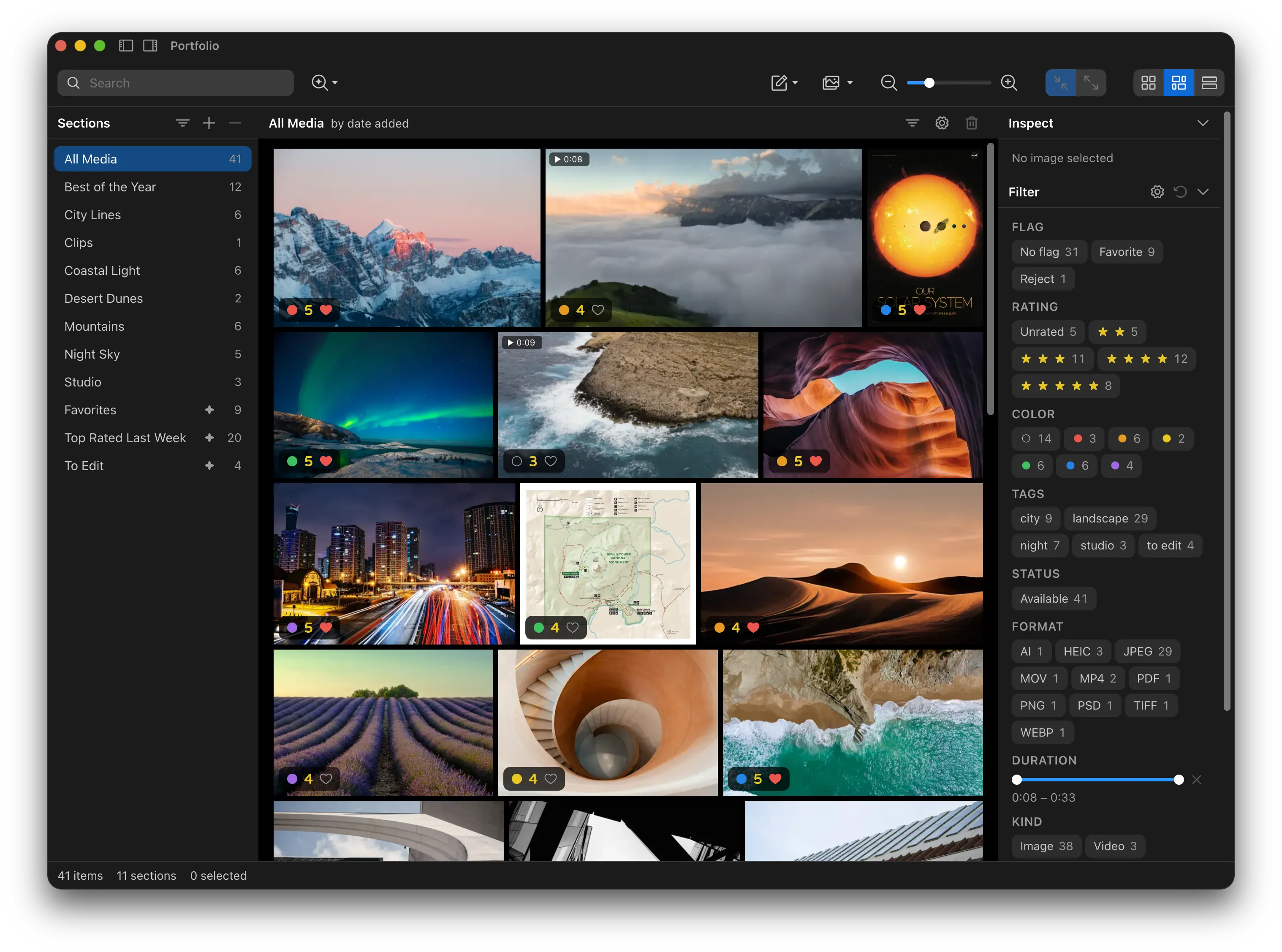
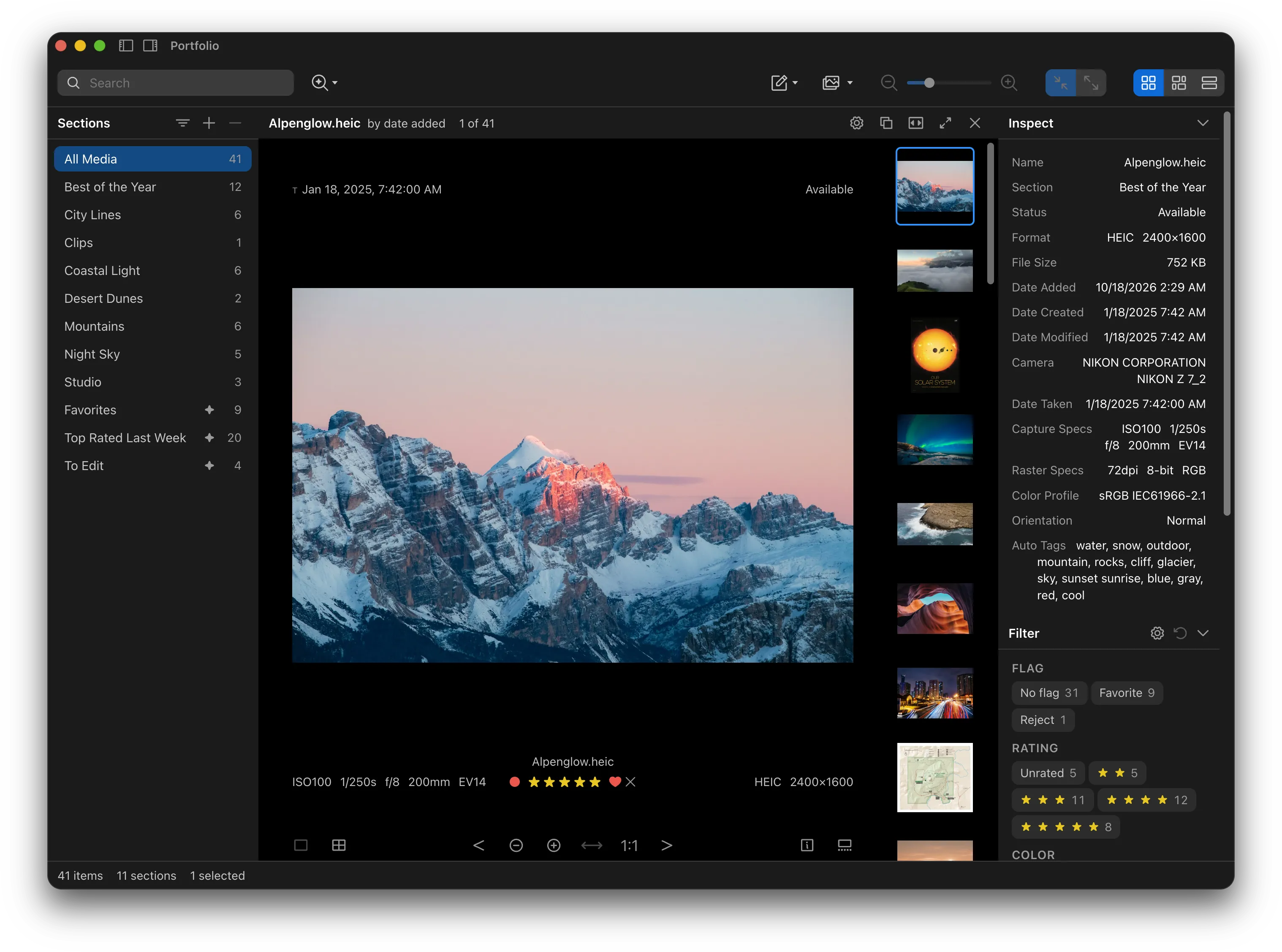
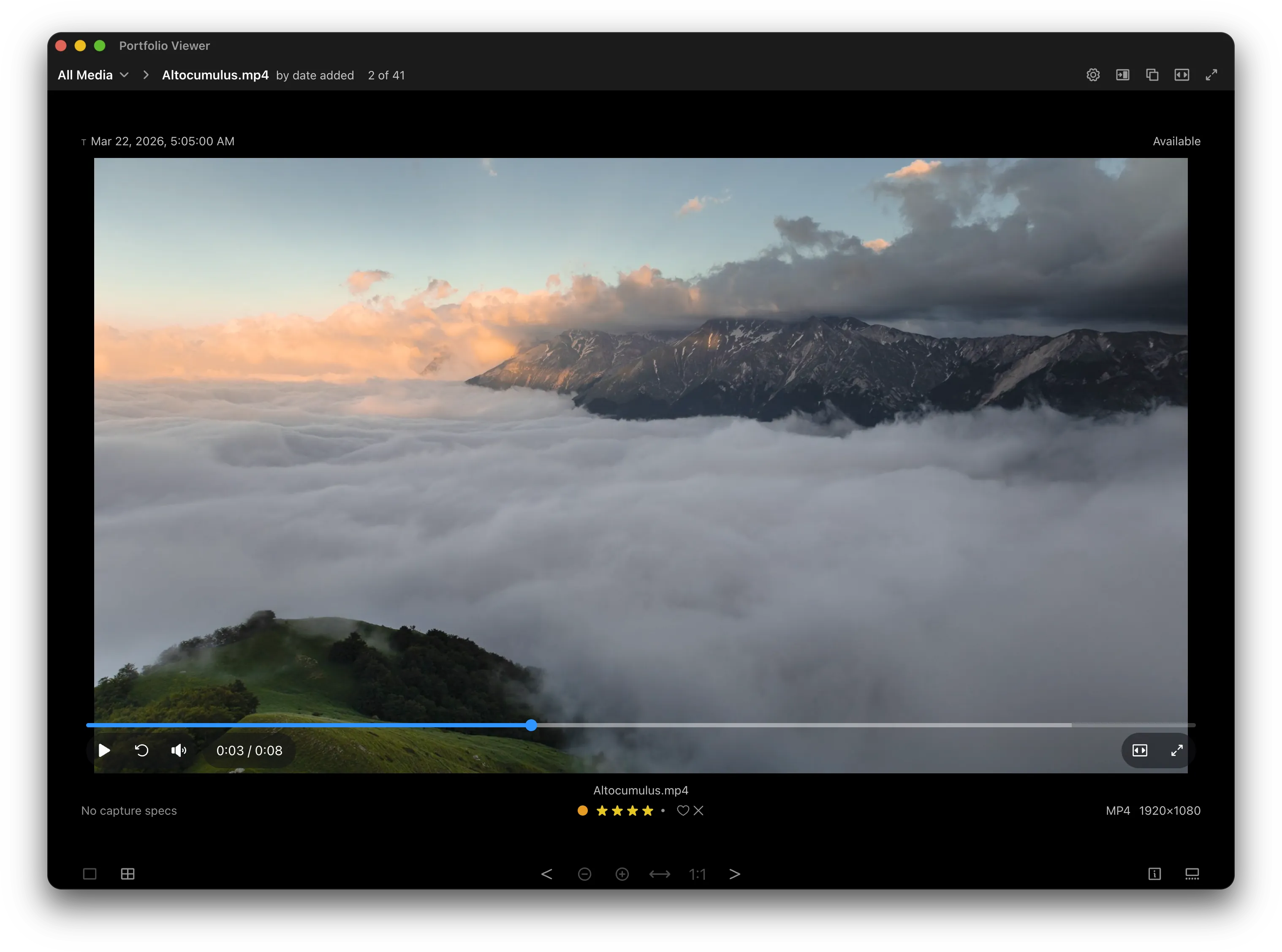
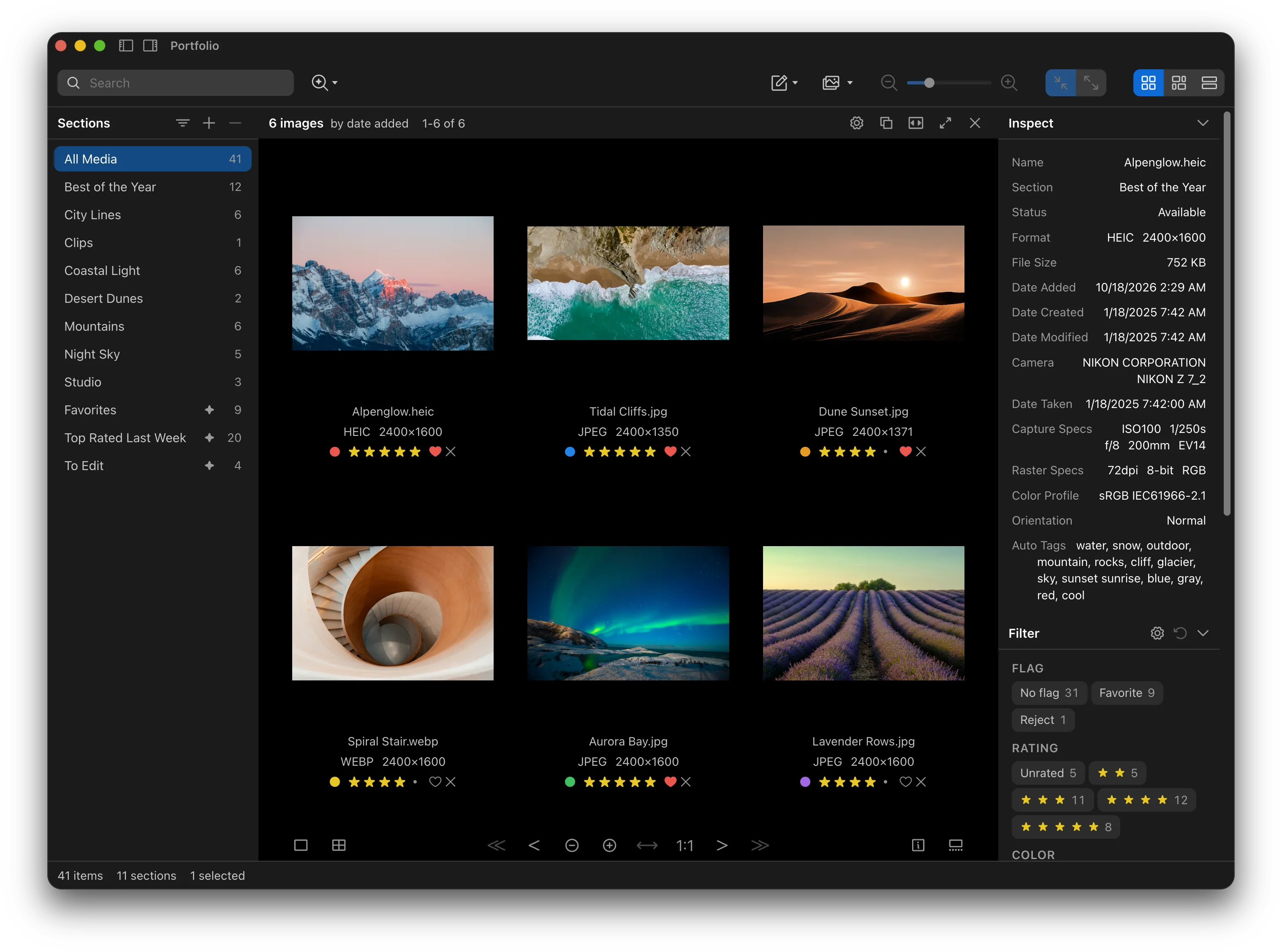
As a long-time graphic and software designer I got tired of using expensive image cataloging apps that were way too complicated that kept all my images and catalogs in central proprietary databases and weird formats that ended up becoming obsolete - so I built one myself.
- MediaCatalog is not a digital asset manager. You are your own digital asset manager - use the app you want for that.
- MediaCatalog is not an image editor - although it can launch images in editing apps and update as changes are made.
MediaCatalog is a free image cataloging app built around ease-of-use, forward and backward compatibility, and data independence. It lets you create catalogs of thumbnails that point to the original images wherever you choose to put them — in a different folder, on an external drive, or on a network share.
Catalogs can be exported as (or imported from) single standalone Web pages you can share with anyone or saved on a shared drive so others can tag, rate, and add notes to thumbnails. The catalog format is non-proprietary (stored using SQLite and JSON), self-explanatory, easy to parse, extendable, and future-proof. In this way MediaCatalog can serve as an intermediary between different digital asset managers.
Features:
- Images can be searched for colors, text and objects in them ("red", "vivid", "tree", etc.) as well as duplicates, variants, and similar images. An optional free text search feature allows you to search by description ("dog running on a beach at sunset").
- All images (or just selected images or sections) can be batch exported as-is or in the format, dimensions, and quality you choose, with optional text or image watermarks
- Display and rate images in multiple zoomable viewer windows with 2-up to 8-up layouts
- Open and edit original images in multiple apps
- Mark thumbnails with multiple colors, ratings, flags, tags, and notes
- Smart sections can be made that change their contents dynamically depending on matching properties
- Batch rename original images with dynamic property names and sequencing
- Robust image location tracking and relinking allows you to move and reorganize original images wherever you want - nothing is stored in or moved to a central database
- A scalable user interface with customizable dark and light themes
- Export and import one-page standalone searchable, sortable, and filterable Web catalogs that contain the entire app and require no network access - tested in Chrome, Safari, and Firefox
- Create catalog templates/presets optimized for presentation, review, export, and other workflows
- MCP client support so you can automate it with Claude or ChatGPT to import, watermark, convert, resize, and export images in batch or create, open, import, edit, and write catalogs as part of your workflow
- Catalogs have been designed to hold 50,000 images and beyond
- Tested against thousands of files generated by every version of Adobe Photoshop and Illustrator made since 1993
Supported formats include (with sidecar support):
- Bitmap formats: JPG/JPEG/JFIF, JXL, JPEG 2000 (JP2, J2K, J2C, JPC, JPF, JPX), PNG, TIFF/TIF, GIF, BMP, HEIC/HEIF/HIF, WEBP, AVIF, EXR, HDR/RGBE, TGA, DDS, DPX, QOI, PICT/PCT, ICNS, PGF, MPO, JPS, PSD/PHOTO
- Raw formats: NEF, NRW, CR2, CR3, CRW, ARW, ARQ, SR2, SRF, DNG, RAF, ORF, ORI, RW2, PEF, SRW, RAW, RWL, IIQ, 3FR, FFF, ERF, KDC, MRW, X3F, DCR, MOS, MEF, MDC, STI
- Vector formats: SVG, PDF, AI, EPS, EPSF, PS, WMF
- Video formats: MP4, MOV, M4V, 3GP, 3G2, F4V, TS, M2TS/MTS, VOB, MPG/MPEG, MOD, TOD, MKV, WEBM, AVI, DIVX, FLV, WMV, ASF, MXF (OP1a, OP-Atom), DV/DIF, Live Photos, QuickTime VR, GoPro 360
- Professional video codecs: ProRes (422 Proxy, 422 LT, 422, 422 HQ, 4444, 4444 XQ), DNxHD and DNxHR (LB, SQ, HQ, HQX, 444), CineForm, DV, DVCPRO, DVCPRO50 and DVCPRO HD, Apple Animation, uncompressed 8- to 16-bit video (v210, v410, r210, 2vuy, yuv2, b48r, RGB), FFV1, HAP (HAP, HAP Alpha, HAP Q), DXV (DXV3, MOV); each in MOV, AVI, MKV, MXF (XDCAM HD422, IMX)
You can import albums, catalogs, and databases in these formats:
- Photos
- Adobe Lightroom / Adobe Lightroom Classic
- Capture One
- Luminar Neo
- Lap
- NeoFinder / CDFinder
- iView Media Pro / Media Pro
- digiKam
- Picasa
In the spirit of promoting open formats and interoperability, MediaCatalog has been released under the MIT License. The source code repository will be made public in the future after a few more improvements.